Contents
- Index
- Previous
- Next
Step 0 - Preparation
Before your start an import, there are basically two items that are important for adding a song, that you should know about. A chord chart and a full audio track (mp3 file) of the song. You will also need to make a short clip version of your full audio track, if you do not already have one. Here are some details.
- A complete chord chart of the song - the chord chart should include the following information - song title, author(s), chords, lyrics, copyright information and (if possible) the CCLI song number.
- An audio track of the song - full length mp3 file that represents the version of the song detailed in the chord chart. This should be an audio file you have made legally, you should have the production copyright information for this track (represented by a P with a circle around it), or it should be your own performance of the song.
- An audio clip of the song - short 30-40 second audio clip taken from the above full length track.
Once you have this, you are ready to import the song into Worshipteam.com. Let's start by going to the songs main section, then selecting "Import Song" on the Actions menu as follows:
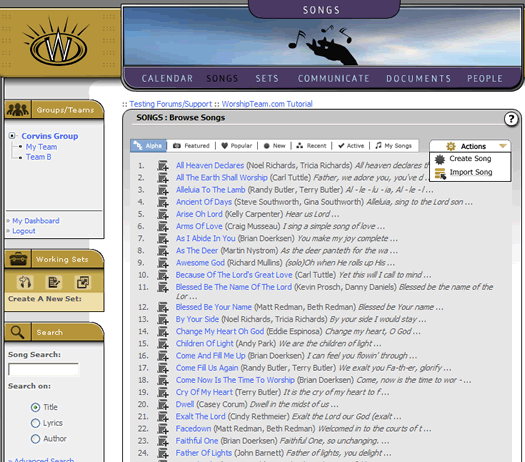
Once you have done that, you can now begin the import process.