Contents - Index - Previous - Next
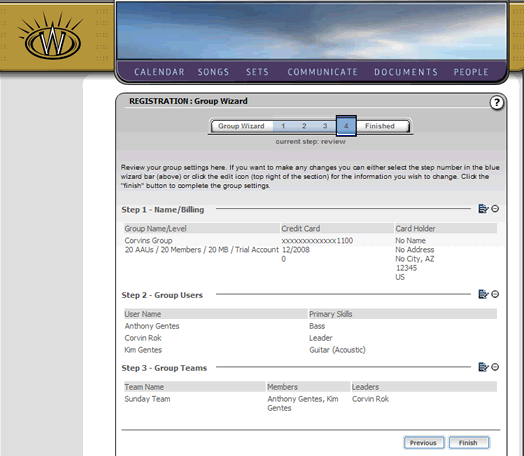
Group Wizard - Step 4
Review
The fourth step of the Group Wizard allows you to review your information. If you wish to edit any of the information, you may select the edit icons at the top right of the information section you wish to edit. Alternatively, you can select the step you wish to edit on the blue wizard bar at the top of the screen. Either way will allow you to navigate throughout the wizard to complete your edits.
Once you are satisfied with the information you have entered, you can complete the Group Wizard by clicking the "Finish" button. This will take you to Step 5.