Contents - Index - Previous - Next
Calendar - Enhanced Context
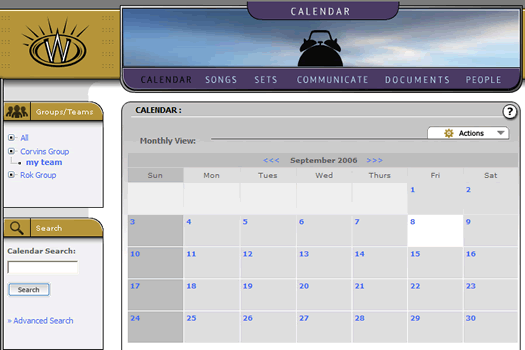
If you haven't already done so, select the "Calendar" link in the main menu navigation bar. Once you land in this section, you should see a full month view calendar, as follows:
Something special you will note is that the left margin group/team context box contains an added tree control labeled "All". This is not a new group. Rather, it is the ability for a single user to see into all the groups they may be a part of. Any single user may be involved in multiple churches or ministries (though not common), and the ability to view all of their calendars in a consolidated view is important for planning. For most people, this will not be a feature they will utilize, but it is good to know it is there if needed.