Contents - Index - Previous - Next
Step 5
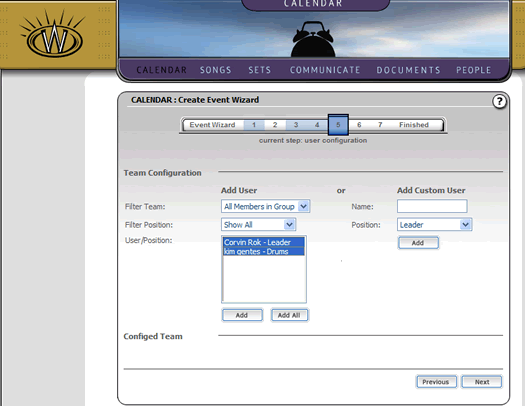
The team configuration is the fifth step in the event wizard. Once again, this step is optional, but it does allow you to specific who you would like to assign to an event.
Now we will simply select the two users in our list box (members of our group and team) and click the "Add" button below them. This will add those people to list of configured members for this event.
The wizard will allow a vast number of configuration options, including adding a user not even in the system currently. This can be helpful, when you have a special guest for a special event. You would simply add them via the "Add Custom User" option and assign their skill and click "Add", as seen in the screen below:
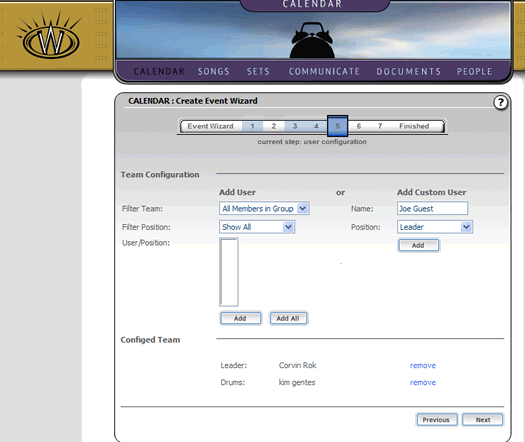
Once you are satisfied with the user configuration (or if you wish to skip over it at this point), simply click the "Next" button to continue.