Contents - Index - Previous - Next
Calendar - Events & Sets
As you have toured through the Worshipteam.com basic sections, you have dealt with concepts that explain much of what you handle daily in your work with a worship team- people, documents, communication, sets, songs, and now calendars. As you work with Worshipteam.com, you will find that not only are these concepts powerful on their own, but the real exceptional power of Worshipteam.com comes through in the ability to use two or three different concepts at once. The viewing events calendar tour stop showed you a little of this, by showing how associated users are linked into an event.
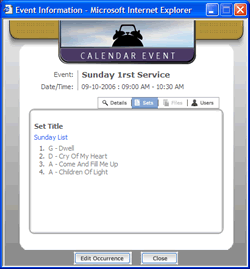
That was just the beginning. The more you use the Worshipteam.com workspace, the more easily you will find it works with all your people, sets, schedules, songs and more. Another nice example of this is to look at the worship list (set) that was configured into your new event. From the calendar event pop-up window that is still viewable (from when you just completed Calendar - Viewing Events) select the "Sets" tab.
You should see something like this:
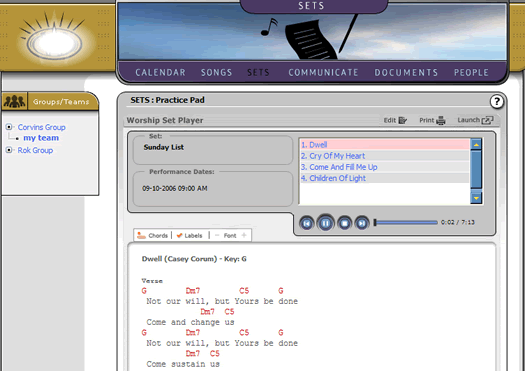
You will note the song list appears in the window. This is a nice synopsis of the set, allowing you to see all you need in the event window through these tabs. Additionally, the set title has an active link. If you click on that link, you will see the main web browser redirect to the Practice Pad, where the set you just selected will begin playing. It should look something like this: